Category: IMC rating

Calculating cross wind and headwind

We need to calculate or estimate cross winds for several reasons

  1. To check whether the cross wind is within limits for take-off and landing
  2. To calculate wind drift (the difference between heading and track) on a cross-country flight
  3. To estimate wind drift for an unplanned diversion
  4. To calculate wind drift / heading correction on an instrument approach

There are several ways we can go about this this.

    • For a cross country flight, calculate the required heading (and implicitly the drift) before flight using our trusty CRP-1 (Whizz wheel) or with a planning app like SkyDemon, or with a wind protractor.
    • Use an app like Windstar to calculate headwind / tailwind, cross wind and cross wind drift, so we have the info ready to use when needed
    • Use a graphical calculator, on the fly, like the one which I present on my VFR reference card
    • Calculate the maximum cross wind drift using this formula: Drift = wind speed x 60 / TAS
TAS –> 60 kt 90 kt 100 kt 120 kt 
Max drift 1x 2/3 x 3/5 x 1/2 x
Wind speed in kt
  • And then estimate the actual drift, on the fly, using a simple rule of thumb
Roughly, ‘nothing, half, all’ rule wind 30o off, cross wind = ½ x wind speed and drift is ½ x max drift;

wind 60 o off, x-wind = full wind and drift = max drift

More precisely, ‘rule of sixths’  Take one sixth of the drift or wind

for every 10o the wind is different to the runway or track direction.

And finally, how do we record the information we’ve derived? We could

  • mark the wind and max drift on the chart and do the rest in our heads
  • look at the app
  • put the info on a paper windstar and paper-clip it to the chart
  • write the info on the instrument approach plate (thanks to one of my students for inventing this!)


SkyDemon and IFR flight

IRR students often ask “Can I use SkyDemon to navigate on an IMC training flight or test?”

The official and legally correct answer is “No”. SkyDemon is a VFR tool. Only certified,

installed GNSS navigators, such as an IFD550, GTN650 or GNS430 can be used to fly IFR and instrument approaches. Furthermore, the license conditions of SkyDemon expressly forbid its use as a primary means of IFR navigation.

In real-life flying, though, it is prudent to use anything which makes the task easier, provided it is not inherently unsafe or misleading. Many IFR pilots run SkyDemon in the cockpit as an adjunct to their formal navigation aids.

In what ways can you use SkyDemon to support your IFR planning and flying?

  1. For route planning, use it to generate the data for an IFR PLOG (including VOR radials and DME distances from turning points)
  2. For situational awareness, whilst navigating cross country
  3. To display traffic detected from an external source such as SkyEcho
  4. To store and call up instrument approach plates in flight
  5. For situational awareness whilst flying an approach

There are a few set-up steps to be undertaken on your planning computer and in-flight device:

  • Mapping: in Airfield, enable show Radio Navaids and Airways Reporting Points (these are the 2-syllable, 5-letter names in the database of GNSS navigators)
  • Setup – Planning: enable ‘Show IFR features’ (otherwise Instrument plates will not appear when you look at aerodrome information)
  • Setup – Planning: set the MSA calculation to IFR (1000 feet above, 5nm either side of track)
  • Setup – Navigation – Moving Map – set the display to Heading up. In-flight, pressing on the Little North arrow (bottom right) allow you to Select Track up – which is the default SOP for GNSS navigators.

For route planning, we can do all the normal stuff to generate a PLOG, check NOTAMs etc. Flying IFR, we may route via Airways reporting points and the SkyDemon PLOG delivers everything you need to know. If we are using VOR radials and distances to achieve a desired route and avoid Controlled Airspace, we might construct these with SkyDemon to get really accurate Track, Heading and Distance. It’s a bit of a faff; I find it easier to draw the lines on a paper chart and measure the radials and DME distance. It’s your choice.

We can use Instrument Approach plates from SkyDemon in 2 ways:

  • Simply use your inflight device to display the plates – they should have downloaded automatically to your device before flight if you have selected the airfield as ‘Land here’.
  • As you get closer, the ‘Make Approach’ button will appear bottom left. you can select either Visual or Instrument approach for the desired runway. If you select Instrument approach, the relevant plate will be superimposed (georeferenced) onto your SkyDemon map. Unfortunately, the moving map goes back into North Up mode, as the georeferencing can’t cope with anything else.
  • You could also GeoReference the approach plate onto the SkyDemon display from the Airfields Tab, where the Instrument approach plates are listed, by using the ‘Pin’ button.

The georeferenced display are helpful for situational awareness, but not to fly the approach accurately – you need the radio navaids for that! not accurate enough to fly the approach– they are not a substitute for ILS receiver or certified GNSS navigator onboard!

Give it a try – ideally with a safety pilot onboard. In any event, don’t allow operating SkyDemon to distract you from the task of flying the aeroplane.

Know your approach plates        

When flying an instrument approach in a test, you’ll know ahead of time which approach is to be flown and can prepare on the ground. In real life, you may not be able to prepare in advance, so know your way around the plate so that you can extract essential information quickly.

Some pilots use unwieldy and generally unmemorable acronyms to brief the approach. I find that a flow, or visual scan, around the plate is a better way to self-brief. You can use a pen on the plate to highlight key information. The only elements requiring any maths are the approx. descent rate which varies with ground speed, and the all-important minima.

Presentations vary, but here is a ‘flow’ that works for the UK AIP plates.

Geo-referenced instrument approach plates

Aircraft with sophisticated GNSS (aka GPS) navigators may have approach plates installed in the database. SkyDemon offers a simple way of accessing geo-referenced plates. It uses the AIP plates (whose format varies from one country to another). Geo-referenced? This means that they are displayed to scale, in the right location on the map display.

They are a great aid for situational awareness and for coarse positioning on an instrument approach. They should not be used as a substitute for receiving the relevant radio navigation aid (VOR, NDB, ILS, GNSS) using NAV equipment such as a CDI (Course Deviation Indicator).

Here’s how to go about it:

  1. In Setup, Planning options, enable IFR features
  2. Right click on Airfield, right click on Information
  3. Click on Instrument Plates. Select the plate(s) you want. Green means they are available on your device. On some devices, you may have to click on individual plates to make them available offline
  4. In flight, click on the Airfields tab. Click on the Pin symbol to display the plate you want. It appears to scale on the chart.

Popular myths & little known facts

In my conversations with students during training and PPL holders during rating re-validation, some interesting myths emerge. So let’s put the record straight on a number of air law and licensing questions.

  1. It’s OK to fly outside the W&B (weight and balance) envelope as long as you have checked it’s safe, e.g. by a test take-off on a long runway. FALSE.

The PiC is legally required to assure himself that he is operating within W&B limits. And how would you know it’s safe other than by operating within the limits given in the POH? The manufacturer has worked these things out.

TIP –  It is so easy to calculate W&B, either on paper, spreadsheet or in an app like Skydemon. Consider making a handful of standard calculations – e.g. myself, flight bag + full fuel; myself, flight bag, wife + 90 litres fuel (= MTOM) – to which you can refer.

  1. The bi-annual instructional flight (the ‘1 hour with instructor’) must be done in the last 3 months of rating validity. FALSE.

You can do it any time during the last year of validity. However, the instructor or examiner can only sign your rating revalidation if you have met all the criteria (12 hours, 6 hrs PiC, 12 take-offs etc etc), so you might need to get the signature a bit later.

TIPS – get your 1 hour done early and don’t wait till winter, when the weather can prevent you flying. if you’ve met all the re- validation requirements early in the year, you can get the rating signed off and preserve the dates. There is no fixed agenda for the bi-annual instruction flight. From a ‘duty of care’ standpoint, most instructors will want to revise stalls, steep turns and a PFL, but in principle the instruction can cover anything. Find something that’s useful for you, such crossing CAS, short field techniques, bad weather circuits, night flying, even some instrument flight. The choice is yours and it’s not a test. You can ask the instructor to teach or demo something, or perform the manoeuvre yourself.  

  1. If I forget to get my rating re- validated by signature, I can always ask an examiner or any instructor to back-date it. FALSE.

The signature must be made before rating expiry date. And if it’s an instructor signing, ONLY the instructor who did your 1 hour of instruction is entitled to sign (don’t ask me why) although ANY examiner can do so.

TIPS – enter your revalidation dates in your diary – at least one month ahead of time. Get the signature at the time of the instructional flight, if at all possible.

  1. In order to accumulate IFR hours towards a CB-IR, I can record all my flights in VMC as IFR. FALSE.

You can only fly IFR (even in VMC) if you are qualified to fly IFR, i.e. hold either an IR or (IR(R) (the UK IMC rating).

  1. I can fly a 3-axis microlight on a PPL(A) and the hours count towards the 12 hours required for SEP re-validation. TRUE.

BUT….. in order to do so, you must first undergo differences training (by a microlight instructor) and get this signed off in your log-book. AND… for SEP re-validation, the 1 hour with an instructor must be in a SEP, not in a micro-light.

  1. If I hold SEP and TMG ratings, I can re- validate both with 12 hours etc flight time in the last 12 months, on both or either class. TRUE.

The hours are in effect inter-changeable. BUT… be careful. If your TMG and SEP ratings have different expiry dates, you must accumulate the hours and get the signatures while both are still valid.  If either of them expires, you must take a test (an LPC) on the expired class.

  1. If I enter controlled airspace by accident by less than 0.5 nm, or less than 100 feet, it won’t be recorded as an infringement. FALSE

Entering CAS without clearance, by any distance or height – however small – is an infringement and you can expect the CAA to take some kind of action against you. Airspace infringements are what are called ‘strict liability offences’, i.e. intent is irrelevant. All the authority has to do is to show – on the balance of probabilities – that you infringed. Evidence includes their radar and your transponder mode C output. Arguing that your transponder is inaccurate won’t wash, unless can get an engineer’s report to prove the mis-calibration.

TIPS – Why fly that close to CAS and risk it? Apply the Take 2 Rule – remain 2 nm away from and at least 200 ft (I prefer 300 ft) below CAS.  Do a transponder calibration check before flight: set your altimeter to 1013 and check it agrees with the transponder FL display.

  1. I am allowed 45 days leeway to fly after my medical expires. FALSE.

You can do the medical 45 days before expiry and preserve the dates, but you cannot fly after it has expired. However……

TIP –  a Class 2 medical lapses into a LAPL medical on expiry. So depending on what you are doing, you might be able to fly on LAPL privileges after the Class 2 expiry date. But LAPL privileges will also expire eventually and LAPL privileges carry further restrictions (aircraft weight, number of passengers, no night or instrument flight etc).

  1. If in my bi-annual instruction flight, I fly quite badly, the instructor can refuse to sign-off the flight in my logbook. FALSE.

He / she must sign it. But they may make an annotation ‘Further training recommended’, and they will discuss with you what additional training is needed. You would be well-advised to pay heed!

TIP – use the instructional flight to practice something you wouldn’t normally do and as an opportunity to get some (almost free) advice. Consider booking the instructor for a couple of hours so that you have time for a thorough briefing and for subsequent discussion.

  1. A listening squawk entitles me to enter Controlled Airspace. FALSE.

A Listening squawk merely signifies that you are listening on a particular frequency. You are not getting a service nor a clearance. You might reasonably expect ATC to warn you if you get too close to CAS, but that’s not guaranteed (if they are very busy, for example).

TIP – make sure you have set the corresponding frequency and have the radio volume turned up enough. Listen out in case they call you up, either by call-sign or by ‘aircraft in the vicinity of …..’

Rate 1 turns on EFIS

They say you never stop learning in aviation. This little snippet illustrates that.

Last week I was out renewing my instructor rating, and amongst other things, I had to demonstrate a rate 1 turn on instruments. Easy, right? Look at the Turn Coordinator and line up the wings of the little aeroplane on the tick marks.

But how do you do that in an aeroplane equipped with an EFIS (electronic flight information system, or glass cockpit). They often don’t have a conventional Turn Coordinator. Well, you could calculate the bank angle (TAS divided by 10 plus 7 degrees) and use the Skypointer on the attitude indicator.

But thanks to pilotworkshop.com who send a free weekly email with tips, I learnt an easier way. Beneath the heading indicator is a magenta trend ribbon, showing which way you’re turning. This has marks – in my Dynon D100, that’s a bracket which corresponds to Rate 1. So just add sufficient bank that the magenta line reaches the bracket. And the trend line itself is quantitative – the longer the line, the greater your rate of turn. The end of the line shows the heading you will be on in 6 seconds. And that 6 seconds seems to be a standard on all displays.

So…. If in doubt, read the instruction manual. I read mine years back, but at that time, instrument flying was far from my thoughts.

IMC rating on EASA licences – extended

Second Update

The EU has now implemented the Commission Implementing Regulation (amendment) 2019/430 revising Article 4(8) to the EASA Aircrew Regulations, which was referred to by me a couple of months ago. This measn that the CAA will continue to endorse the Instrument Rating (Restricted) (IR(R)) rating on UK CAA issued EASA PPL(A), CPL(A), MPL(A) and ATPL(A) licences until 8 April 2021. The IR(R) may not be endorsed on Part-FCL licences issued by other EASA Member States.

Details of the Flight Test for the rating is included in Standards Document 25.

Those who want to read the revised Aircrew regualtion (not many, I suspect) can see the update here and the consolidated regulation here.


Preparing for IMCR (or IR(R)) training

Test-ready in the minimum 15 hours flying?

PPL’s often start IMCR training in the belief that they will be ready in 15 hours (10 hours by sole reference to instruments).  In my experience, it takes longer, and this often comes as a personal disappointment and financial shock.

PPL’s come to the course with varying backgrounds – recent PPL’s with only 10 hours post-license issue (the minimum), those with 100’s of hours, converts from microlight flying, and pilots used to operating in easy class G airspace.

Shortcomings in PPL’s experience

Here is a list of what I’ve seen, which I can help students overcome:

  1. Lack of practice / fluency in challenging RT environments (busy CAS, complicated instructions) and accurate read-back
  2. Not thinking ahead – anticipation of what’s coming next
  3. Not knowing how the avionics work (the more so in club aircraft with different bits of kit)
  4. Not flying accurately (trimmed out, constant altitude, heading, rpm setting, constant climb / descent rates and speeds)
  5. Weak ability to interpret pre-flight data (weather, NOTAMs etc)
  6. Inadequate pre-flight preparation (departure and arrival from / to base, clear PLOG, knowing what RT to expect)
  7. Unfamiliarity with basic instrument work e.g. VOR intercept and tracking, and position plotting
  8. Not arriving for lessons well-rested, well-prepared, in good time, focussed etc
  9. Lack of captaincy – which is all about decision making, mental situations awareness, but also the  ability to self-brief, de-brief and critique.
  10. Failing to scan the instruments systematically
  11. Not appreciating the differences between control and performance instruments

The good news

I make these observations not to criticize individuals but to make the point that all of these things can be practiced in the VMC environment (although the last 2 are best done with a safety pilot onboard or while receiving an ATC Traffic Service), by reading and viewing YouTube videos.

So to get the most our of your hard earned cash – practice the basics before starting the course. That way the IMC instructor only needs to spend time on teaching instrument flying, rather than all the supporting skills. Hope this helps.

Best practice PLOG

Do you find that there isn’t enough space on your PLOG to make notes and record clearances?

Have you ever mis-read the columns and flown your ground speed as a heading?

You choose to climb to avoid weather but the base of CAS is hard to read on the chart and is not on your PLOG?

After lots of experimentation and input from students, I have printed some new and improved PLOG pads for VFR and IFR flying. The IFR PLOG also contains all the elements which a VFR CPL pilot needs.
They are designed for clarity, and to avoid the kinds of reading errors which are commonly made on a  crowded A5 PLOG. Guidance on how to use them is given on the Downloads area under Planning Tools.

If you would like some sample sheets to try out, please get in touch.
They are also  available as 25 or 50 sheet pads at a modest cost.

Flight Examiner

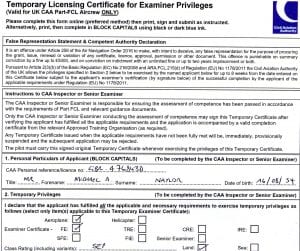
I am pleased to announce that I have passed the Assessment of Competence for the PPL Flight Examiner certificate. This means that I can now conduct LAPL(A) and PPL(A) skill tests, IMCR / IR(R) skill tests and LST / LPC tests for SEP rating issue / re-validation.